Social Content Agent / Field notes
An AI workflow before an AI agent
I set out to build an agent that could create and post social content. My first version became an AI-assisted workflow.
- Stack
- Next.js, React, TypeScript, OpenAI Responses API, Supabase
- Status
- Deployed
- Scope
- AI-assisted LinkedIn drafts. Publishing is simulated.
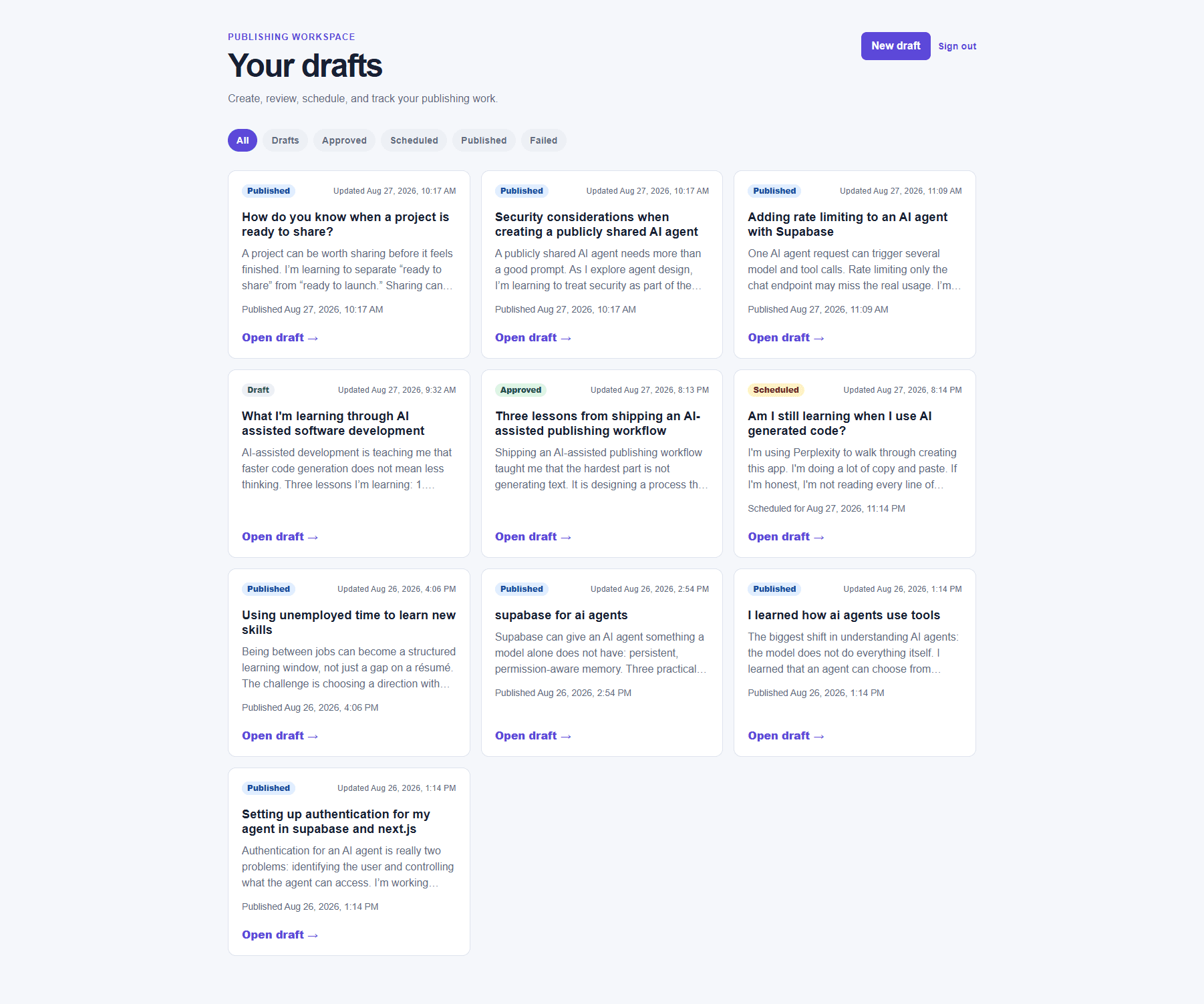
Where I started
I wanted to start working with AI as an engineer, and I needed help creating social content. My idea was an agent that could create content and post it to a social channel.
I was overly ambitious for a first project. What I built became an AI-assisted workflow: it generates LinkedIn drafts, lets a person review and approve them, and simulates scheduled publication. It does not independently create and post content for me.
Social Content Agent was my first real Next.js app and my starting point for building software with AI integrated.
How I built the first version
I built the first version with guidance from Perplexity. It gave me the code and instructions for setting up Supabase and Vercel. I followed those instructions to put the app together; I did not write any of the code.
This was my introduction to how a Next.js application is organized and how work is divided between client and server.
Following the workflow
An idea moves through three stages, with the user choosing when to move it forward.
Generate a starting point
A signed-in user enters a topic. The app uses their brand-voice settings to generate a draft, then returns the text to an editor.Review and approve
The user edits and saves the draft, then approves it. Changing approved content returns it to draft and clears its approval and pending schedule.Schedule and track
An approved draft can be scheduled for a future time. A background job marks due drafts as published in the database and adds an activity event. Publication is simulated.
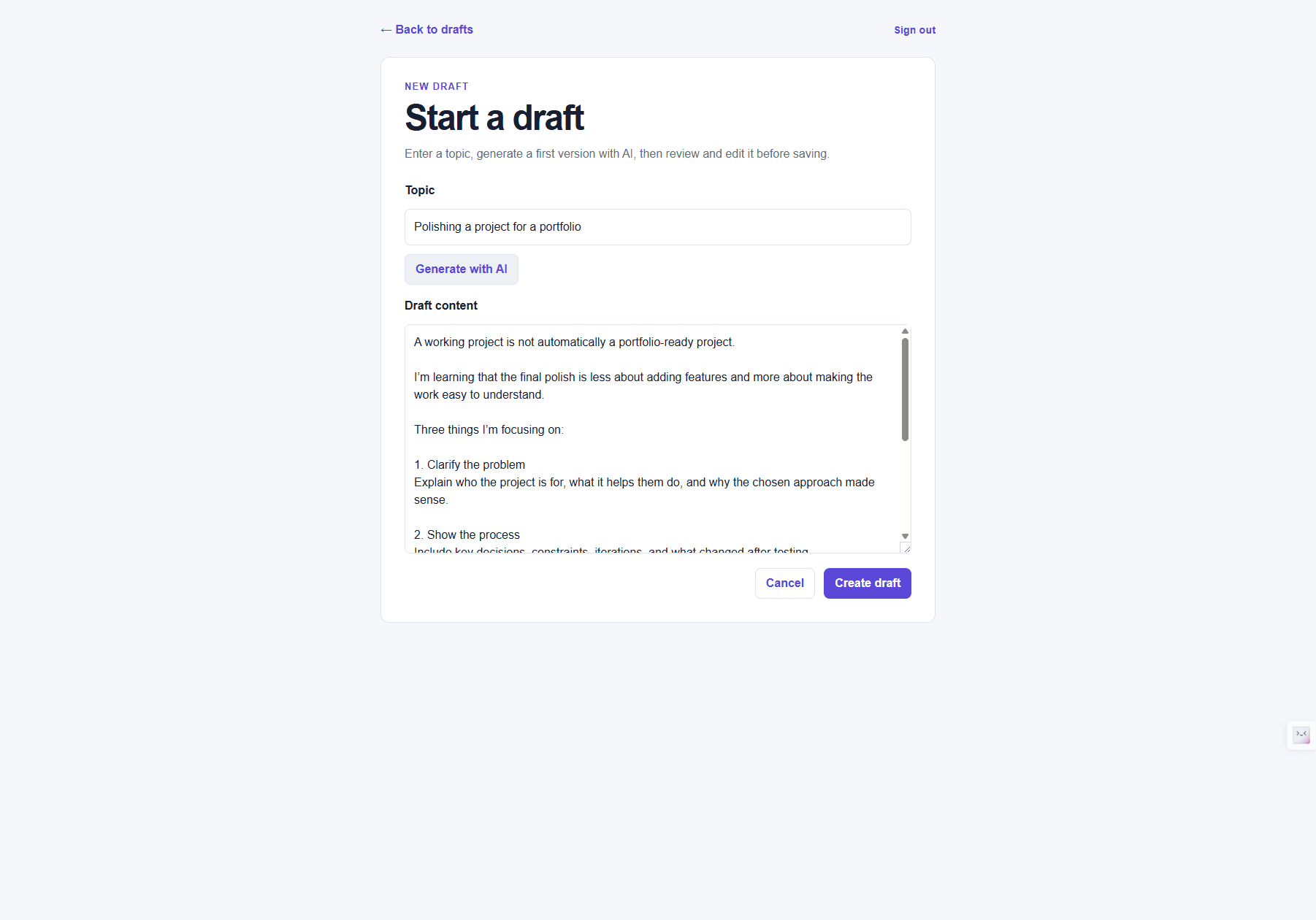
Brand-voice settings let each user specify an audience, tone, goals, formatting, and accuracy guidance. Updating these settings affects future generations without rewriting saved drafts.
Under the surface
The editor runs in the browser. When someone asks for a draft, the browser sends the topic to a Next.js server route. That route checks the user's session and input, loads their brand voice, and calls the OpenAI Responses API. The text comes back to the editor for review.
Supabase handles authentication and stores drafts, preferences, and activity. A separate server route processes scheduled drafts for simulated publication.
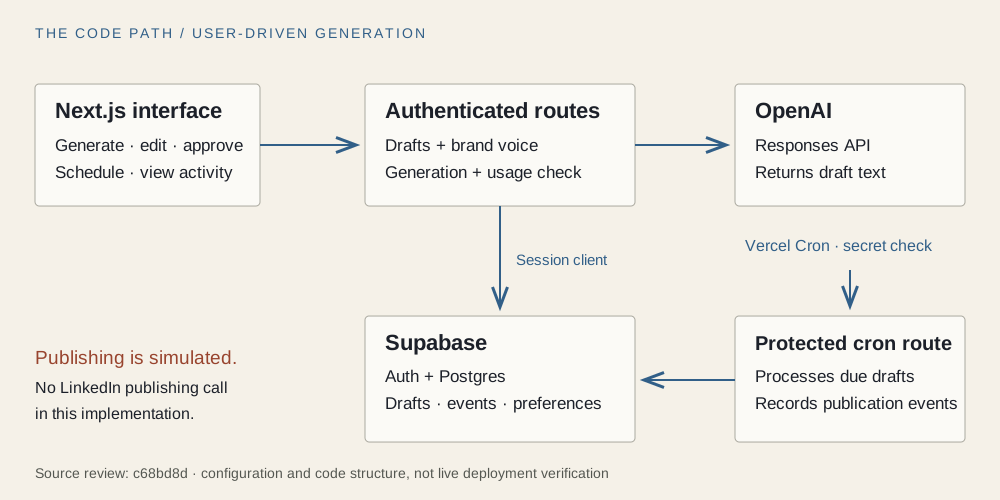
Authenticated routes handle drafts and brand voice through Supabase and send generation requests to OpenAI. A separate cron route checks a bearer secret and uses a server-side admin client to process due drafts and record publication events. There is no social-network publishing call in that path.
This is a concrete example of the client/server separation I began learning about: editing happens in the browser, while generation requests and database operations go through server routes.
Decisions visible in the code
Three details from the later source review help explain the workflow. Perplexity supplied the first version's code; the observations here describe the implementation, rather than decisions I independently designed.
An edit clears the previous approval
- Why
- Approval applies to the text that was reviewed. When that text changes, the update function returns the item to draft and clears approval and scheduling timestamps.
- The tradeoff
- Even an edit to a scheduled post requires another approval and schedule.
Notes & evidence
updateDraft gives content changes precedence over status changes. Workflow tests cover approval revocation and invalid transitions using mocked database queries. Concurrent live edits have not been tested in this review.
History is stored separately from status
- Why
- A draft's status shows where it is now. Separate activity events record actions such as creation, editing, approval, scheduling, and simulated publication.
- The tradeoff
- The state update and event write are separate operations. One can succeed while the other fails, leaving a gap in the history.
Notes & evidence
The publisher rechecks scheduled status before updating rows and records events only for rows returned by the update. That reduces duplicate publication events on repeat runs, but does not make the whole operation atomic.
Publication stops at the simulation
- Why
- The publisher updates database state and records activity, so the scheduling workflow can be explored without sending a post to a social network.
- The tradeoff
- Real publishing still needs account connection, provider authorization, token handling, and delivery-error handling.
Notes & evidence
The job route requires a configured bearer secret. This describes the smaller scope the app reached; my original ambition included real posting.
What the evidence says
The technical account is grounded in source review, local tests, and September 9 checks of the deployed app. Disposable drafts were used to follow the workflow, exercise the simulated publisher, and check access between two accounts. All test drafts were removed afterward.
- Application testsverified
96 tests passed after the account-switching fix; lint and typecheck also passed.
The suite includes five session-change regression tests and seven migration tests. Application tests mock Supabase and OpenAI; migration tests execute SQL in disposable PostgreSQL databases with a minimal substitute for Supabase authentication.View evidence ↗- Project screenshotsverified
Two existing repository screenshots were visually inspected.
They show earlier versions of the interface.View evidence ↗- Live draft workflowverified
Generation, saving, approval, scheduling, and editing succeeded in the deployed app.
Editing the scheduled text returned it to draft and removed the pending schedule. Reopening the record confirmed the saved edit and creation, approval, scheduling, and update events.View evidence ↗- Deployed publisherverified
A manual job run published one due test draft and recorded one publication event.
A run before the scheduled time processed zero drafts. Once due, the test draft became simulated published; a repeat run processed zero drafts and left one publication event. This verifies the deployed job endpoint, not Vercel's automatic daily trigger.View evidence ↗- Account accessverified
Two accounts were denied direct access to each other's test drafts.
Both accounts could access their own drafts. A save attempt from the second account against the first account's previously opened draft was rejected, and the stored text stayed unchanged. These application checks do not establish complete database-policy coverage.View evidence ↗- Remaining live checksnot run
- Direct database-policy coverage, reverse-direction cross-account saving, brand-voice changes, concurrent requests, and Vercel's automatic daily trigger were not tested in these checks.
What testing changed
The review found a gap between the checked-in migrations and my hosted database: the approval timestamp field already existed online but was missing from the migration history. A follow-up migration now includes it for fresh setups and adds automatic modification timestamps. It was tested locally; this review has not applied it to the hosted database or checked existing timestamp triggers.
One limitation still worth addressing is the generation quota. Counting requests and recording usage happen separately, so simultaneous requests can weaken enforcement.
The account-switching check also exposed an interface issue: an already-open editor kept displaying the previous account's draft text. The server rejected a save, and opening that draft in a fresh tab was denied, but the old text was still visible in the original tab.
A follow-up fix clears private page state when the account changes. Regression tests cover account switches, late responses, and preserving unsaved edits during routine token refreshes. After pushing the fix, I verified the deployed behavior using two regular browser tabs: the old draft content cleared during the sign-out and account-switching check.
What this first version represents
I set out to build something that could create and post social content for me. I finished this first version with a narrower workflow and an introduction to Next.js, Supabase, and Vercel. Learning how the app is structured—and how the client and server work together—was a concrete step toward working with AI as an engineer.
Since then, I have moved on to coding with Codex and my Hermes coding-bot. I want to understand more of the code I am working with and feel able to make additions independently. That is the next step for me.
Better next steps.