MotionBrief / Field notes
The five-second video I stopped generating
I set out to generate vertical video with AI. The footage was slow, expensive, and never matched the motion I wanted — so I generate the still and move the camera instead.
- Stack
- DeepSpace, Cloudflare Workers, OpenAI, FAL / FLUX.1 Schnell, ElevenLabs, Shotstack
- Scope
- An editable campaign brief, a generated still, camera motion, and narration for a five-second vertical video.
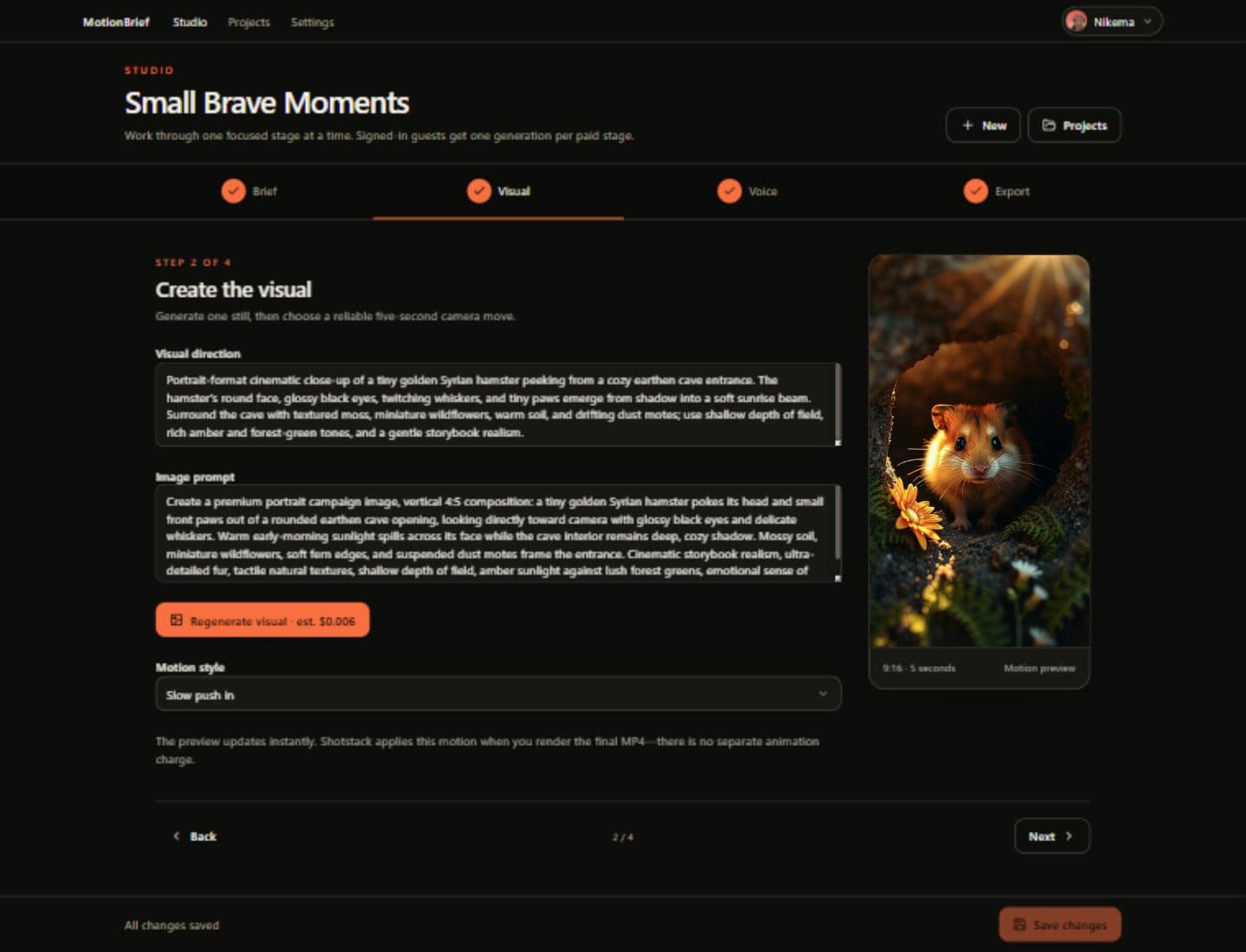
Where I started
I wanted a tool that takes a rough campaign prompt and turns it into a finished vertical video: the brief, the visual, the narration, the edit. One prompt in, one five-second MP4 out.
The original plan was generative image-to-video for the footage. Live tests were slow, expensive, and inconsistent with the motion direction I had in mind. The finished version generates a portrait still, applies a camera move, and renders it into a video.
MotionBrief is an AI-assisted creative studio. A campaign prompt becomes an editable brief, a portrait visual, a chosen camera move, narration, and a five-second vertical MP4.
How I built it
The pipeline chains four providers, each with one job:
- OpenAI turns the rough prompt into structured strategy and copy — the editable brief.
- FAL (FLUX.1 Schnell) generates the portrait visual.
- ElevenLabs generates the narration.
- Shotstack renders the final five-second 9:16 MP4.
DeepSpace and Cloudflare Workers run the application and the background pipeline.
Following the workflow
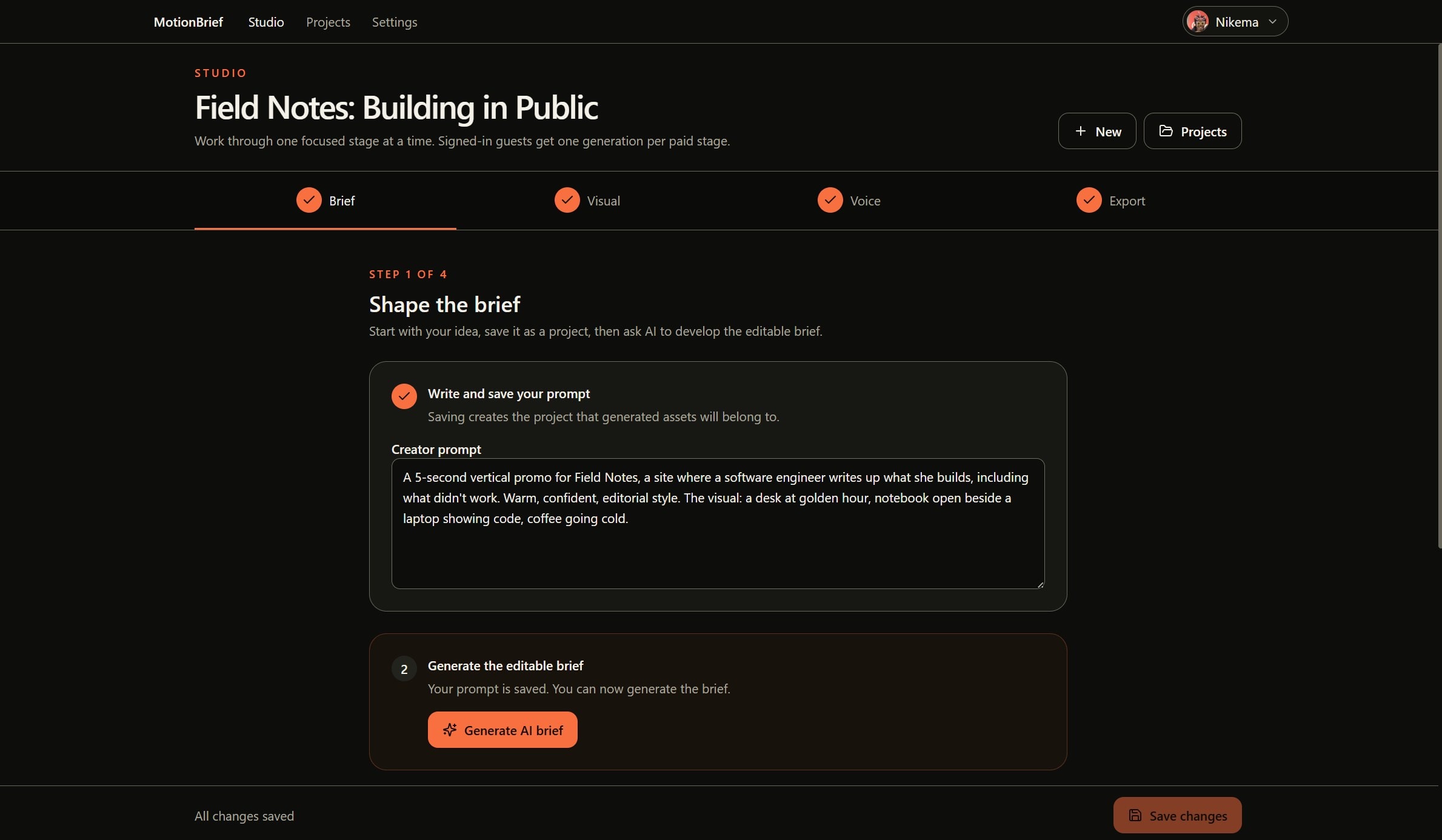
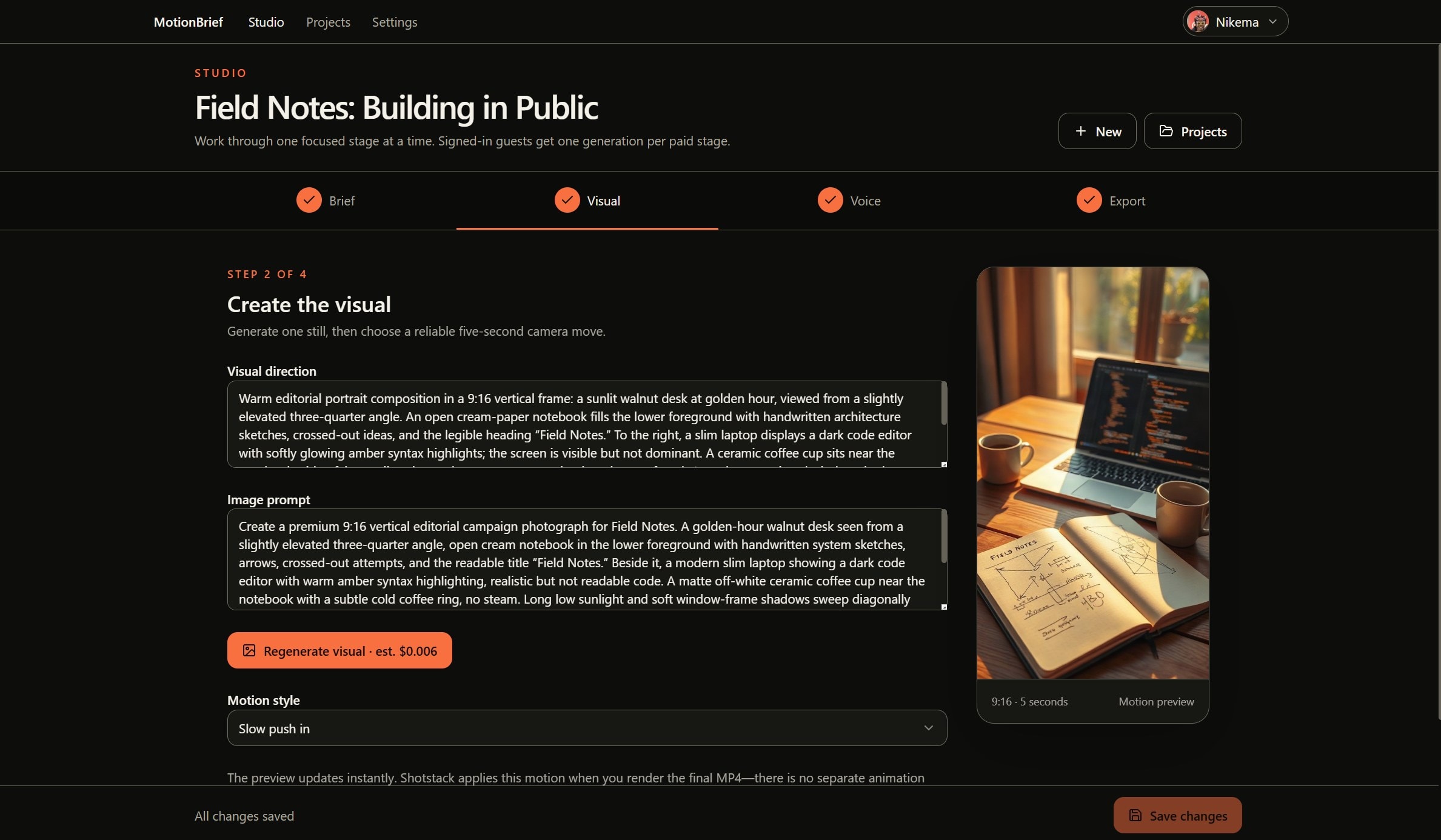
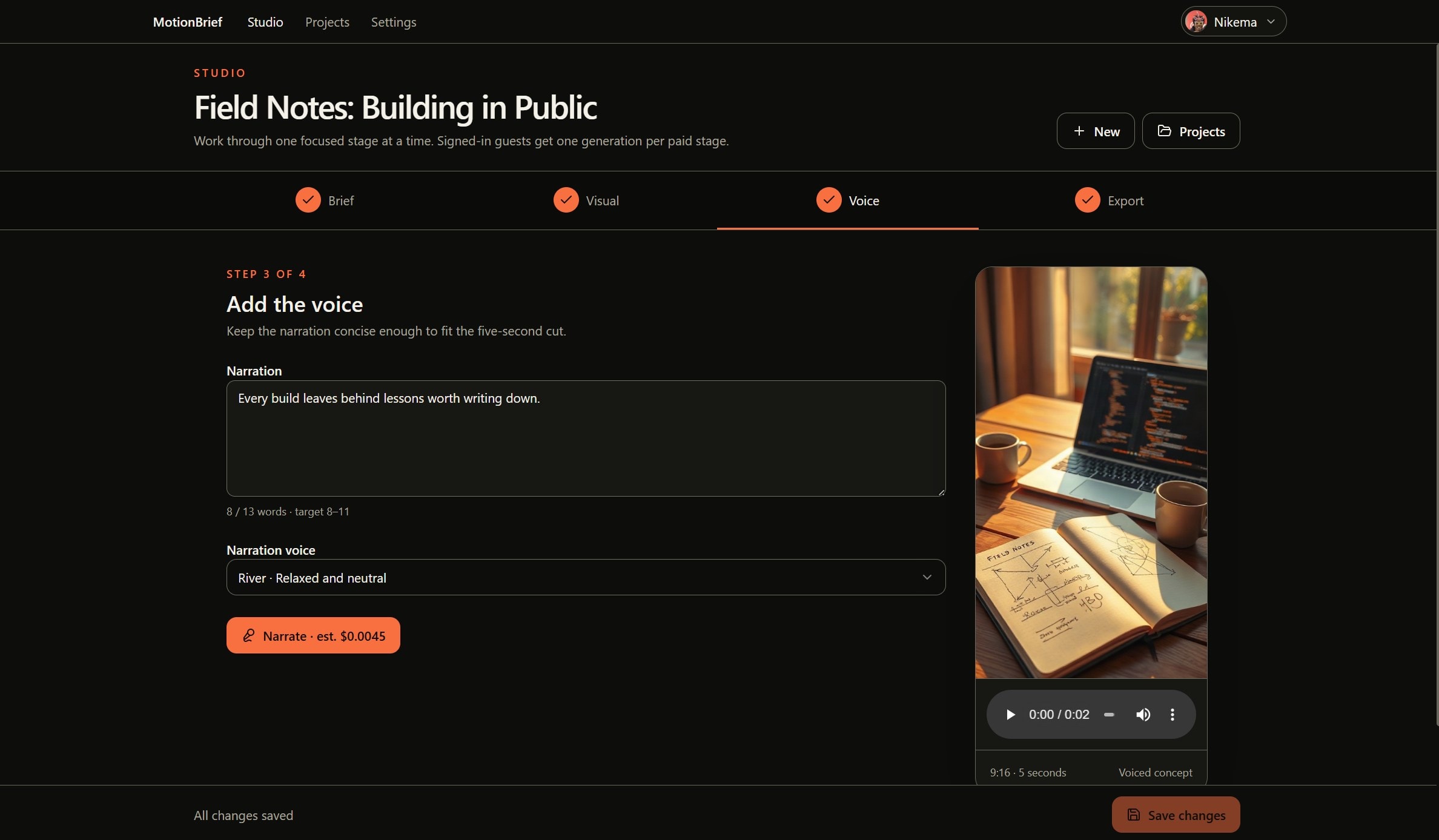
A campaign moves through four screens, with the creator reviewing and editing at each step. Image generation and camera movement share the second screen.
Shape the brief
A saved campaign prompt becomes a structured, editable brief. Nothing is spent on media until the strategy and copy read right.Create the visual
The brief produces a portrait still via FLUX.1 Schnell. Choose a push-in, pull-back, pan-left, or pan-right on the same screen. The preview plays immediately because the move is computed, not generated.Add the voice
ElevenLabs narrates the script in the selected voice. The button shows the estimated cost before the paid call runs — “Narrate · est. $0.0045” in the captured project.Render and export
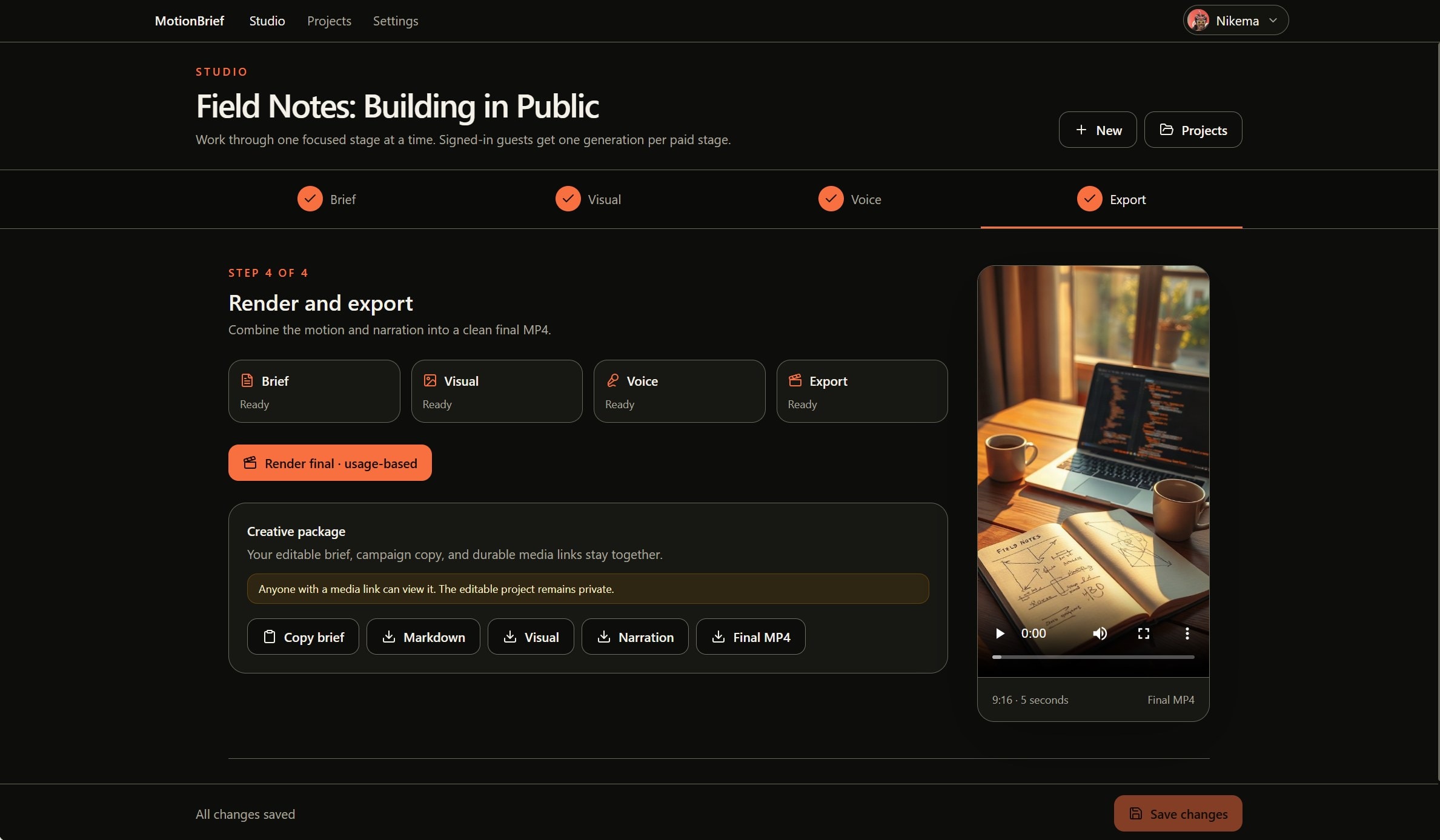
Shotstack assembles the still, the camera move, and the narration into a five-second vertical MP4. The final screen keeps the brief and media download links together.
I pinned Save to the bottom of the screen so it stays within reach while editing, without scrolling back to the top. The bar also keeps the save status visible across the workflow.
These screenshots follow the “Field Notes: Building in Public” project through the app’s four steps. They show the desktop layout, refreshed on September 13, 2026, with the pinned Save bar.
Under the surface
Long-running work runs as resumable background jobs with live progress, so a slow provider call doesn't strand the session.
Finished assets are copied into durable app-scoped storage instead of relying on expiring upstream URLs — a render shouldn't break because a provider link went stale.
One integration detail shaped the pipeline: ElevenLabs returns narration as a data URL, which is decoded and stored at a public HTTPS URL before Shotstack can fetch it. Final renders run an asset preflight before anything is submitted to Shotstack.
Decisions visible in the code
Deterministic camera moves instead of generative video
- Why
- Generative image-to-video was slow, expensive, and inconsistent with the motion direction I had in mind. A computed push-in or pan is immediate, free, and exactly repeatable.
- The tradeoff
- The footage will never surprise you — which is the point, and also the ceiling. There's no true generated motion here, only a camera moving across a still.
Notes & evidence
The discovery doc records the original prototype's live tests and the switch to deterministic moves. The camera preview adds no generation charge; the final Shotstack render is still a paid request.
Estimates on image and narration buttons
- Why
- Showing an estimate on the action button helps creators assess a paid generation before starting it.
- The tradeoff
- Estimates are not final charges. The render button says usage-based, so it still lacks a numeric estimate.
Notes & evidence
The screenshot shows “Narrate · est. $0.0045” for that project’s script and voice. A separate fresh live check used a shorter script: its button estimated $0.0038 and the usage ledger recorded $0.002925. The image's net recorded cost was $0.0039 after a later adjustment, below its $0.006 estimate. These are examples, not fixed prices.
Durable storage instead of provider URLs
- Why
- Upstream asset URLs expire. Copying finished assets into app-scoped storage means renders don't break when a provider link goes stale.
- The tradeoff
- The app stores and serves bytes it didn't create — storage costs and lifecycle management a pure pass-through wouldn't have.
Notes & evidence
The submission notes describe copying provider outputs into durable app-scoped storage.
What the evidence says
This account draws on the project narrative, repository documentation, and September 9–10 checks of the deployed interface. The screenshots above follow the Field Notes: Building in Public project. A separate fresh project, initially named Bravery Starts Small, was used to run brief generation, image generation, narration, and a final render, followed by guided save, export, and account-access checks.
- Fresh generation and renderverified
A new prompt produced a brief, visual, narration, and a playable vertical MP4.
The MP4 reported 720 × 1280 dimensions and about 5.06 seconds duration. The render was observed ready about 22 seconds after clicking. The media links and final preview remained available after reopening the project.View evidence ↗- Saved brief editsverified
A save/reload failure was reproduced, fixed, deployed, and retested successfully.
Saved title and headline edits now survive reopening for both the existing project and a newly generated brief. A requested generation also completed across a reload. The fix passed 50 unit tests, including eight new regression cases.View evidence ↗- Usage comparisonverified
The test-window ledger recorded a net $0.066937 for the original checks and fix verification, below the approved $1 budget.
Narration was $0.002925 against a $0.0038 estimate. The image was initially recorded at $0.013, then received a $0.0091 adjustment, bringing its net cost to $0.0039 against a $0.006 estimate. Rendering was $0.0325 and had no numeric button estimate.View evidence ↗- Independent edits in two tabsverified
Saving Audience from an older tab preserves a newer headline saved in another tab.
The first test exposed an overwrite: Save submitted the whole stale draft. The deployed fix sends only explicitly edited fields. The guided retest retained both edits after reload; the updated suite passed 55 tests.View evidence ↗- Export and playbackverified
Clipboard delivery, Markdown asset links, media downloads, and final MP4 playback were confirmed in the guided walkthrough.
The downloaded Markdown included image, narration, and MP4 links. All media files were saved, and the final MP4 played successfully.View evidence ↗- Private project accessverified
A second account could neither open the owner's project nor see it in its project list.
The direct project URL showed “Project not found.” This checks those interface access paths; exported media links are intentionally public.View evidence ↗- Outside the verified scopenot run
- Overlapping generation jobs, conflicting edits to the same field, and comparisons of every exported camera preset have not been tested. The account check is not a comprehensive authorization audit.
The persistence check exposed a gap in the editable workflow: reopening the page replayed a completed generation result over later edits. The deployed fix records which request was made and which job has already been applied. It preserves existing saved briefs while allowing a newly requested generation to finish across a reload. The live retest confirmed that edited title and headline fields stayed saved.
The two-tab check exposed a related problem: saving one field also sent old copies of every other field. Tracking explicit edits and saving a partial update let independent changes survive. These checks made preserving the creator's work part of the pipeline's reliability, alongside generating and storing the media.
What this version represents
I set out to generate video with AI and ended up using AI for the brief, still, and narration, with a computed camera move for the motion. That narrower approach gave me repeatable movement. Testing the complete workflow also showed that a successful render isn't enough: the creator's edits need to survive reopening and work in another tab.
Better next steps.